Seedream 4.5 Now Available: ByteDance's Best Image Editing Model
Seedream 4.5 from ByteDance is now live on BestPhoto. Multi-image fusion, sharper details, better text rendering, and reliable instruction following. The refinement-focused upgrade built for creators and brands.
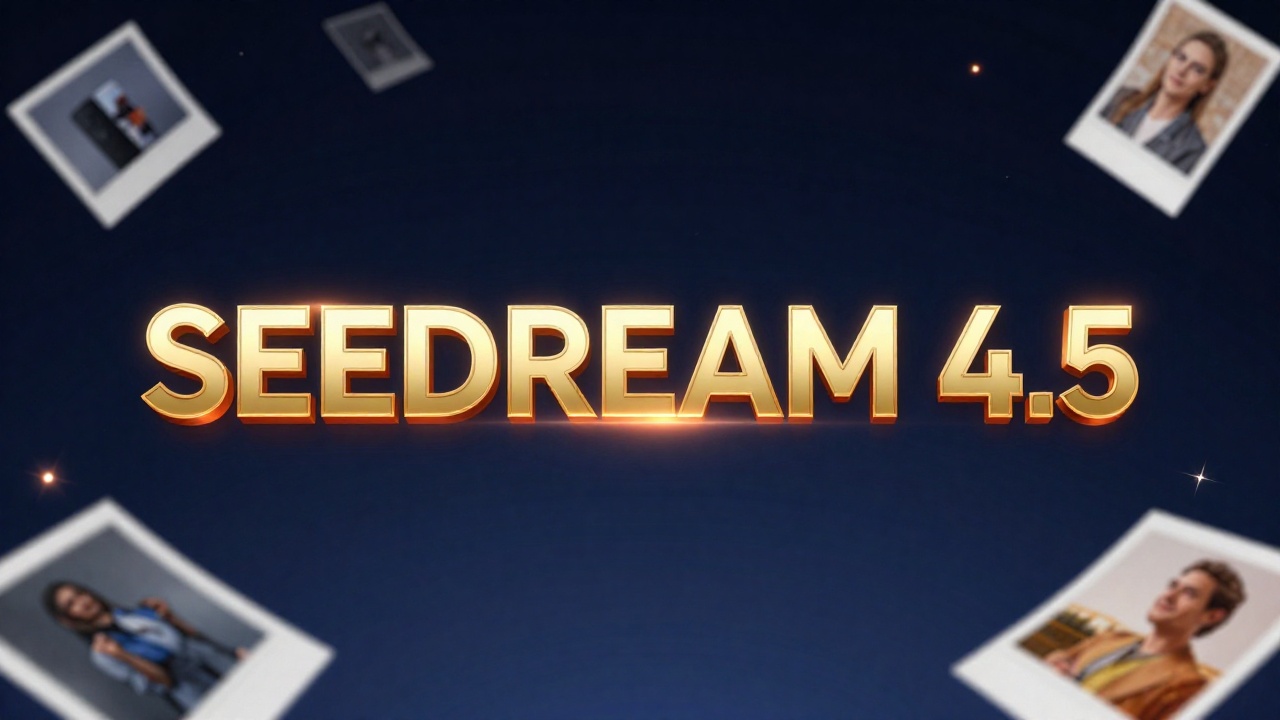
Seedream 4.5 is now live on BestPhoto. This is ByteDance's Doubao team's latest image model — a refinement-focused upgrade that brings sharper visuals, stronger spatial coherence, and more reliable instruction following. If you need predictable, high-quality image editing for e-commerce, design, or creative production, this is the model to use.
Try Seedream 4.5
Experience ByteDance's most advanced image editing model.
What's New in Seedream 4.5
Seedream 4.5 is built for creators, brands, and platforms that need dependable execution. ByteDance describes it as "all-round improvement through overall model scaling" — and the results speak for themselves.
Core Improvements
- ✓Clearer subjects with refined fine details
- ✓Stronger spatial coherence and cinematic lighting
- ✓Sharper small-text and improved face rendering
- ✓More reliable multi-image fusion (up to 10 refs)
- ✓Smarter instruction following for complex prompts
Technical Specs
- •Up to 10 reference images per edit
- •2K to 4K output resolution
- •Single and multi-image editing modes
- •Unified architecture for generation and editing
- •Dense text rendering support
See It In Action: Before & After
Seedream 4.5 excels at complex edits that require understanding context. Here are real examples showing what the model can do with straightforward prompts:
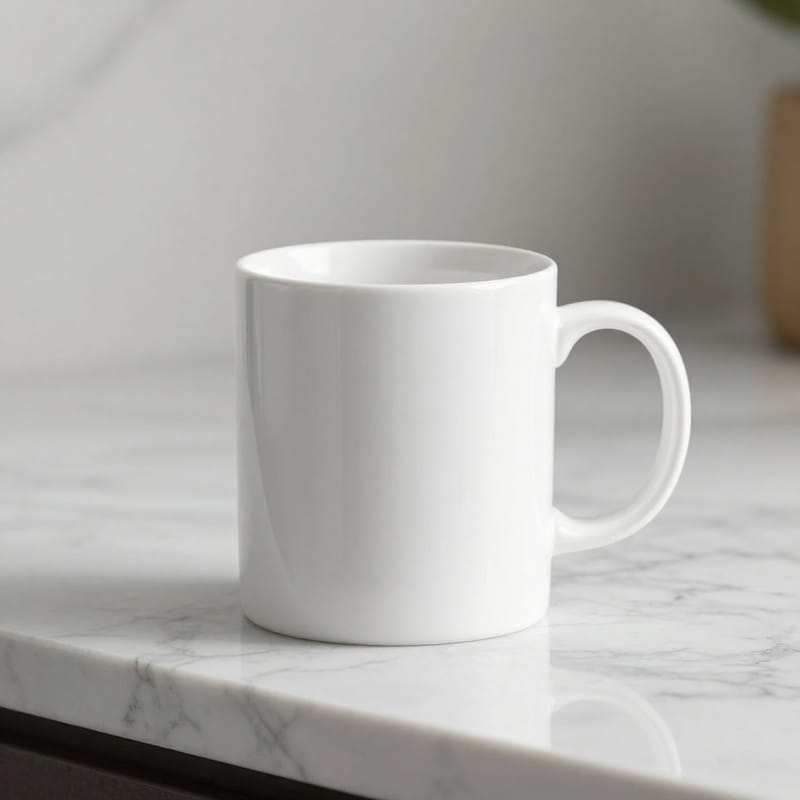 Before
 After
AfterProduct Photography Swap
Seamlessly replace products while maintaining lighting and composition
"Replace the coffee mug with an elegant glass perfume bottle with gold accents"
 Before
 After
AfterScene Transformation
Transform environments while preserving interior elements
"Transform the window view to show a snowy winter night with city lights"
 Before
 After
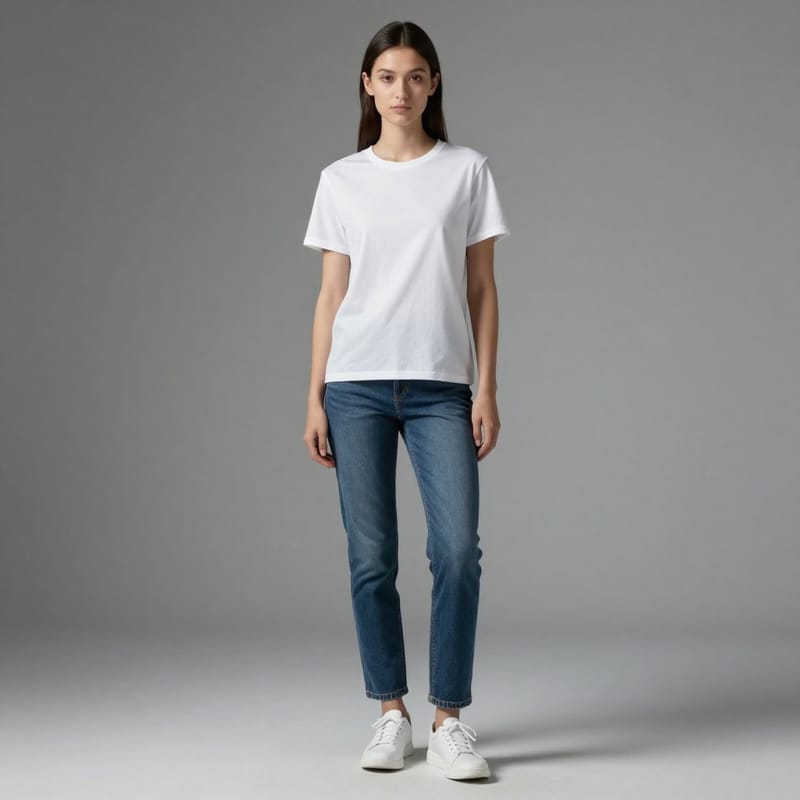
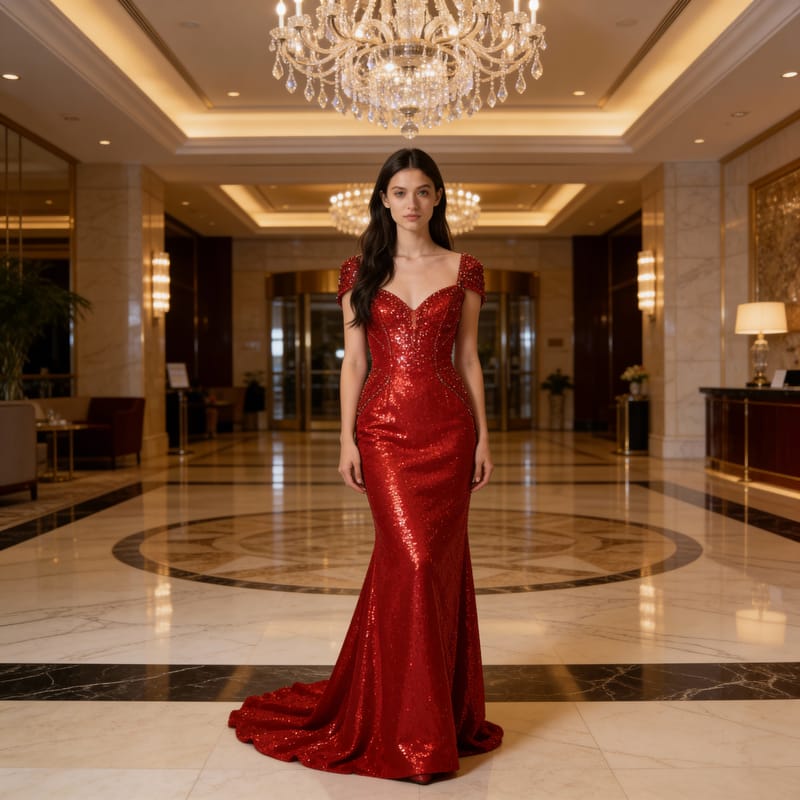
AfterFashion & Background Edit
Complete outfit and environment changes in one edit
"Change to an elegant red evening gown, transform background to upscale hotel lobby"
 Before
 After
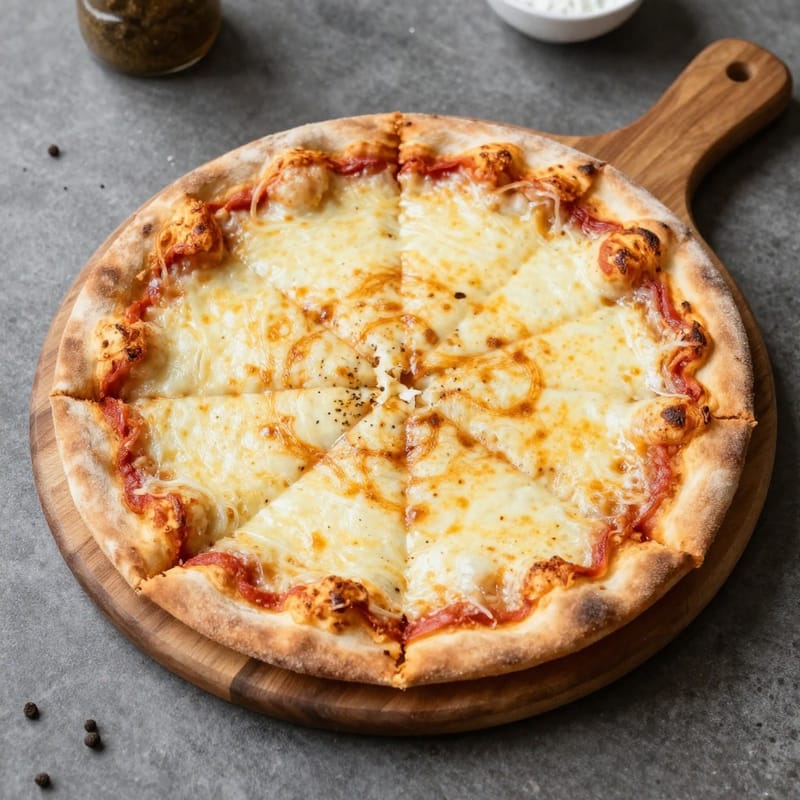
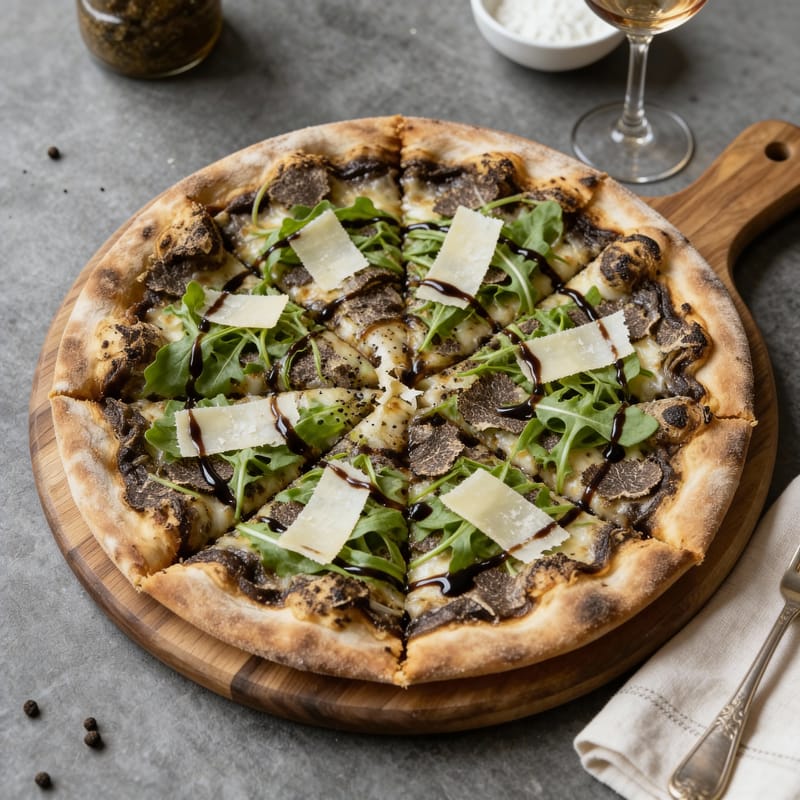
AfterFood Styling Upgrade
Elevate dishes with gourmet presentation and table settings
"Transform into gourmet truffle pizza with arugula and balsamic glaze, add elegant table setting"
 Before
 After
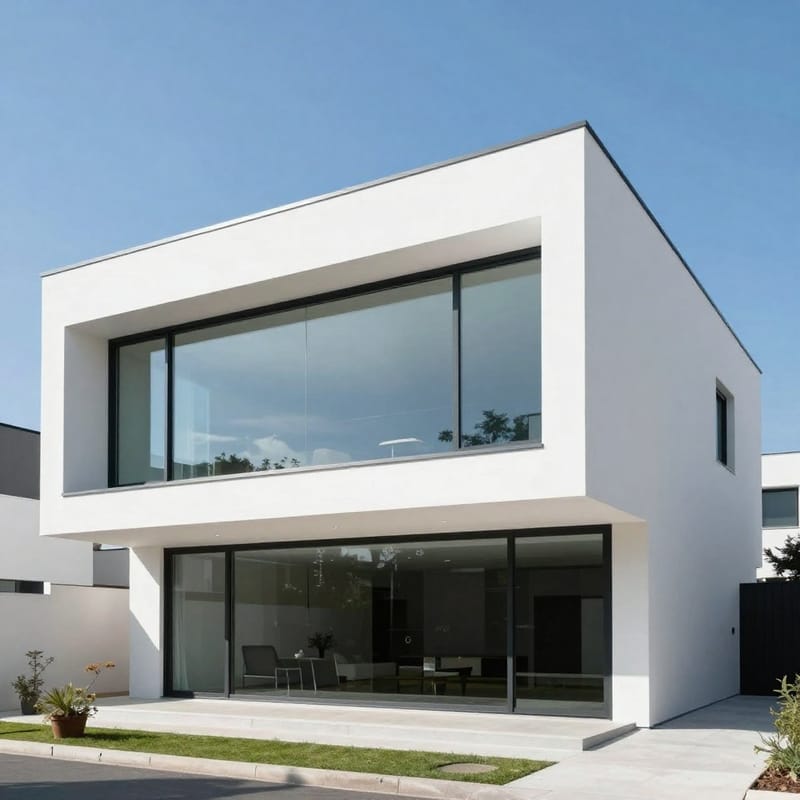
AfterArchitectural Reimagining
Redesign buildings with new features and atmospheres
"Transform into futuristic eco-home with vertical gardens and solar panels, sunset lighting"
Try These Edits Yourself
Upload your own images and see how Seedream 4.5 handles your prompts.
Built for Professional Workflows
Seedream 4.5 is designed for production environments where consistency matters. ByteDance specifically built it for:
Primary Use Cases
- • E-commerce product imagery
- • Brand visual creation
- • Poster design and layouts
- • Advertising campaigns
- • Game art and assets
- • Creative production workflows
- • Text composition and localization
- • Multi-frame character consistency
The model's strength is structural accuracy and dependable execution. When you give it a complex prompt, it follows instructions reliably. Multi-image scenes stay coherent. Subjects stay clear. This is what production teams actually need.
Reference Image Consistency
One of Seedream 4.5's standout features is how it handles reference images. The model preserves facial features, lighting, color tone, and details from your source images while enabling professional-level edits. This makes it excellent for:
- Creating consistent character appearances across multiple scenes
- Combining elements from different photos into cohesive compositions
- Product shots that need consistent lighting and style
- Fashion editorials with multiple angles of the same outfit
You can use up to 10 reference images in a single edit, and the model precisely identifies target elements across all inputs. This is a significant step up from version 4.0.
Typography and Text Rendering
Seedream 4.5 brings enhanced ability to handle dense text rendering and poster layouts with designer-level composition. If you're creating marketing materials, social media graphics, or any content that combines images with text, this model handles it cleanly.
Text Rendering Capabilities
- • Dense text layouts with proper spacing
- • Poster-style typography composition
- • Small text rendering that stays readable
- • Multi-language support for localization
How Seedream 4.5 Fits In Our Lineup
BestPhoto now offers multiple image editing models, each with different strengths. Here's how to choose:
| Use Case | Seedream 4.5 | Nano Banana Pro |
|---|---|---|
| Product replacements | Excellent | Good |
| Complex reasoning | Good | Excellent |
| Multi-image fusion | Up to 10 refs | Up to 14 refs |
| Text rendering | Very Good | Excellent |
| Max resolution | 4K | 4K native |
| E-commerce edits | Excellent | Good |
| Instruction following | Very reliable | Reasoning-powered |
Quick Guide: Use Seedream 4.5 when you need reliable, predictable edits — especially for e-commerce, product swaps, and multi-image workflows. Use Nano Banana Pro when you need the model to reason about complex prompts or generate infographics and educational content.
Compare Models Yourself
Run the same prompt through different models and see which works best for your use case.
How to Use Seedream 4.5 on BestPhoto
Getting started is straightforward:
- Go to our image-to-image tool — Head to the AI image editor
- Upload your reference image(s) — You can use up to 10 images
- Select Seedream 4.5 — Choose it from the model dropdown
- Describe your edit — Be specific about what you want changed
- Generate — Results typically appear in 10-15 seconds
The model follows instructions reliably, so you don't need to over-engineer your prompts. Just describe what you want changed and it'll handle the rest.
When Should You Use Seedream 4.5?
Seedream 4.5 is your go-to choice when:
- You need consistent results across multiple edits
- You're doing product photography swaps or modifications
- You want to combine elements from multiple reference images
- You're creating marketing materials with text overlays
- You need reliable instruction following without surprises
- You're working on e-commerce or advertising content
- You want character consistency across multiple frames or scenes
Try It Today
Seedream 4.5 is available now on BestPhoto. ByteDance's Doubao team has delivered a significant upgrade over 4.0 — and the improvements in structural accuracy, consistency, and dependable execution make it a strong addition to our model lineup.
If you've been frustrated by models that don't follow instructions or produce inconsistent results, give Seedream 4.5 a try. It's built for production workflows where reliability matters.
Experience Reliable Image Editing
Multi-image fusion, sharper details, better text rendering, and predictable results. Try Seedream 4.5 on BestPhoto today.
Frequently Asked Questions
What's the difference between Seedream 4.5 and 4.0?
Seedream 4.5 is a refinement-focused upgrade with improvements across the board: clearer subjects, stronger spatial coherence, sharper text rendering, better face rendering, and more reliable instruction following. ByteDance's internal benchmarks show improvement across prompt adherence, alignment, and aesthetic dimensions.
How many reference images can I use?
Seedream 4.5 supports up to 10 reference images in a single edit. The model precisely identifies target elements across all inputs while maintaining character consistency.
What resolution does Seedream 4.5 output?
The model supports 2K to 4K output resolution, depending on your settings. This is suitable for most professional and commercial use cases.
Should I use Seedream 4.5 or Nano Banana Pro?
Use Seedream 4.5 for reliable, predictable edits — especially e-commerce, product swaps, and multi-image workflows where consistency matters. Use Nano Banana Pro when you need complex reasoning, infographics, or educational content where the model needs to understand context deeply.
Is Seedream 4.5 good for text rendering?
Yes. Seedream 4.5 has enhanced text rendering capabilities, including dense text layouts, poster-style typography, and improved small text clarity. It's well-suited for marketing materials and designs that combine images with text.
Ready to Transform Your Photos?
Join thousands of users creating amazing AI-generated photos with BestPhoto